From the category archives:

Beginners

If you’ve followed me for any length of time, you know I’m a fan of Dave Ramsey’s approach to financial freedom. And of course, the reason I write this blog and live a frugal lifestyle is ultimately to help others get and/or stay out of debt.  It is my honor to help you in any way I can – I’m here for you!

In his recent article HERE, Dave explains why a credit score is not really something you should use to determine your financial wealth since it is solely based on your debt history. Your credit score is based on five things:

* 35% of your score is based on your debt history.
* 30% is based on your debt level.
* 15% is based on the length of time you’ve been in debt.
* 10% is based on new debt.
* 10% is based on type of debt.

If debt is something you are trying to get rid of, then this type of scoring obviously does not work to determine your financial wealth. But many believe that you can’t buy a house without a good FICA score. Dave says this is not so. You can do so using Manual Underwriting. Read more about in the article link above!

The road to financial freedom includes dumping debt, saving (which includes investing when you can) and paying CASH! Don’t forget that the money available to you on credit is not your money – it’s theirs – and there is no financial freedom in that! Isn’t that what we’re all after?!

I hope that the tips and resources that are provided on this blog are helping you reach your financial freedom goals!

For more about Dave Ramsey, visit his web site HERE.

Note: Get a FREE Credit Score from all three credit bureaus HERE (see bottom right) or HERE. Get more resources by Dave Ramsey HERE.

Print

{ 0 comments }


Quicken Online is now Mint.com

by Frugal Coupon Living on June 14, 2010

Guess what?!? Quicken Online is now Mint.com!

What is Mint?

Mint.com is a FREE online money management software. Creating and keeping straight spreadsheets works but can be pretty grueling work when you are trying to organize, keep straight, and a line formulas and numbers. Sometimes it feels as if new additions create a mess of a sheet. Mint.com describes their site at a glance “We download and categorize your balances and transactions automatically every day— making it effortless to see graphs of your spending, income, balances, and net worth.”

Just so you know how trusting and credible Mint.com is – over 1 million people already use Mint’s online money management and budgeting software and over 3,000 users join every day.

Have a look to see if it is for you HERE.

Print

{ 1 comment }


Meet Mint.com

by Frugal Coupon Living on May 12, 2010

Mint.com is a FREE online money management software. Creating and keeping straight spreadsheets works but can be pretty grueling work when you are trying to organize, keep straight, and a line formulas and numbers. Sometimes it feels as if new additions create a mess of a sheet. Mint.com describes their site at a glance “We download and categorize your balances and transactions automatically every day— making it effortless to see graphs of your spending, income, balances, and net worth.”

Just so you know how trusting and credible Mint.com is – over 1 million people already use Mint’s online money management and budgeting software and over 3,000 users join every day.

Have a look to see if it is for you HERE.

Print

{ 0 comments }


Where is that Post?

by Frugal Coupon Living on May 7, 2010

Where is that post?

I weekly receive emails of you guys looking for previous posts. There is a VERY easy way to search Frugal Coupon Living.

At the top right of my site, type what you are looking for in the FCL toolbar.

In addition, each post is assigned a post topic. Be sure to check out the post topics on the bottom of the middle column of FCL.

Print

{ 1 comment }


Baby Clubs and Resources

by Frugal Coupon Living on March 8, 2010

Supermarket Baby Clubs
Make sure to join grocery store baby clubs even if the store is not in your area. Some stores take compeitor coupons and some baby clubs send out manufacturer coupons.
Publix Baby Club
Winn-Dixie Baby Club
Food Lion Baby Steps
A&P Baby Club
Save-a-lot Baby Club
Pathmark Baby Club
Waldbaum’s Baby Club
Shop Rite Baby Bucks
Price Chopper Baby Club
Superfresh Baby Club
Albertsons Duckling Club (no link – check your store)
Kroger Baby Club (no link – check your store)
Meijer Baby Club (no link – check your store)
Giant Eagle Baby Club (no link – check your store)

Retail Baby Club
You might have to create a registry.
Babies R Us
Target

Diaper
Huggies
Pampers
Luvs
Seventh Generation

Formula
Enfamil – Also, get a certificate for a FREE sample of baby formula HERE.
Similac
Good Start

Baby Food
Gerber
Beech Nut
Earth’s Best
DelMonte
Heinz

Other
Carters Celebration Club
Pregnancy and Wellness Kit
FREE Subscription to American Baby HERE
FREE Subscription to Baby Talk HERE
Baby Center HERE – sign up for weekly milestone emails about foods, behaviors, growth, etc. I have these for both my girls.

Note: With these offers, it is always wise to sign up with your coupon email address.  I usually use my spare my personal email address from these offers.

Print

{ 0 comments }


Coupons Available by Request

by Frugal Coupon Living on February 19, 2010

Devon at Mama Cheaps put together a REALLY nice list of companies that send coupons if you write them an email.

Organic and Natural Food Companies That Mail Free Coupons in Response to E-Mail Requests:

Alexia www.alexiafoods.com

Amy’s www.amyskitchen.com

Apple & Eve www.appleandeve.com

Arrowhead Mills www.arrowheadmills.com

Born Free/Radlo Foods www.radlo.com

Clif www.clifbar.com

Coleman www.colemannatural.com

Country Choice www.countrychoicenaturals.com

Earth’s Best www.earthsbest.com

Earthbound Farm www.ebfarm.com

Eggland’s Best www.egglandsbest.com

Ians www.iansnaturalfoods.com

Kashi www.kashi.com

Lakewood www.lakewoodjuices.com

Lundberg www.lundberg.com

Mrs. Meyer’s www.mrsmeyers.com

Rachel’s www.rachelsdairy.com

R.W. Knudsen Family www.knudsenjuices.com

Rudi’s Organic Bakery www.rudisbakery.com

Santa Cruz Organics www.scojuice.com

Soy Dream www.tastethedream.com

Stonyfield Farm www.stonyfield.com

Sue Bee Honey www.suebee.com

Traditional Medicinals www.traditionalmedicinals.com

Vans International Foods www.vansfoods.com

Yogi www.yogiproducts.com

Other:

Amy’s Kitchen www.amyskitchen.com

Bar S www.bar-s.com

Barber Foods www.barberfoods.com

Bayer/Flintstones Vitamins www.flintstonesvitamins.com

Birds Eye Foods www.birdseyefoods.com

Carl Buddig & Company www.buddig.com

Chiquita/Fresh Express www.freshexpress.com

Citrus World/Florida’s Natural www.floridasnatural.com

Colgate-Palmolive www.colgate.com/app/Colgate/US/HomePage.cvsp

The Dannon Company www.dannon.com

Dean Foods/Garelick Farms www.garelickfarms.com and www.deanfoods.com/brands.aspx

Frito-Lay/Tostitos www.tostitos.com

General Mills/Yoplait http://yoplait.com

George Weston Bakeries (Bimbo and Boboli) www.boboli.com

Grand Brands/True Lemon www.truelemon.com

The Hain Celestial Group www.celestialseasonings.com

The Hain Celestial Group/Terra Chips www.terrachips.com

H.J. Heinz Company www.heinz.com

H.J. Heinz Company/Lea & Perrins www.leaperrins.com

Interstate Bakeries Corporation/Wonder www.wonderbread.com/#/home

Jasper Wyman & Son www.wymans.com

Johnson & Johnson www.jnj.com/connect

Johnson & Johnson/Viactiv www.viactiv.com/index.jhtml

Ken’s Foods/Sweet Baby Ray’s www.sweetbabyrays.com

Kimberly Clark/Kotex www.kotex.com/na/default.aspx

Martin’s Famous Pastry Shoppe www.martinspotatorolls.com/pages/about.asp

McCormick & Company www.mccormick.com

Mt. Olive Pickle Company www.mtolivepickles.com

Ocean Spray Cranberries http://oceanspray.com

Nestlé/Edy’s www.edys.com

Nestlé/Purina http://catchow.com

P&G http://pgpromotions.archway.com

P&G/Cheer www.cheer.com Click on Promotions link

P&G Febreze www.newfebreeze.com/coupon/MailRequest.php

Pepperidge Farm www.pepperidgefarm.com

Perdue www.perdue.com

Pillsbury/Smucker’s www.smuckers.com

Reckitt Benckiser/Electrasol http://electrasol.com

S.C. Johnson & Son/Glade www.glade.com

S.C. Johnson & Son/Pledge www.pledge.com

S.C. Johnson & Son/Saran www.saranbrands.com

Tetley www.tetleyusa.com Turkey Hill Dairy http://turkeyhill.com

Tyson Foods www.tyson.com

Unilever/Ragú www.ragu.com

Zatarain’s http://zatarains.com

Companies That Mail Coupons in Response to an E-mail Request Via Their Website

Amy’s Kitchen www.amyskitchen.com

Bar S www.bar-s.com

Barber Foods www.barberfoods.com

Bayer/Flintstones Vitamins www.flintstonesvitamins.com

Birds Eye Foods www.birdseyefoods.com

Carl Buddig & Company www.buddig.com

Chiquita/Fresh Express www.freshexpress.com

Citrus World/Florida’s Natural www.floridasnatural.com

Colgate-Palmolive www.colgate.com/app/Colgate/US/HomePage.cvsp

The Dannon Company www.dannon.com

Dean Foods/Garelick Farms www.garelickfarms.com and www.deanfoods.com/brands.aspx

Frito-Lay/Tostitos www.tostitos.com

General Mills/Yoplait http://yoplait.com

George Weston Bakeries (Bimbo and Boboli) www.boboli.com

Grand Brands/True Lemon www.truelemon.com

The Hain Celestial Group www.celestialseasonings.com

The Hain Celestial Group/Terra Chips www.terrachips.com

H.J. Heinz Company www.heinz.com

H.J. Heinz Company/Lea & Perrins www.leaperrins.com

Interstate Bakeries Corporation/Wonder www.wonderbread.com/#/home

Jasper Wyman & Son www.wymans.com

Johnson & Johnson www.jnj.com/connect

Johnson & Johnson/Viactiv www.viactiv.com/index.jhtml

Ken’s Foods/Sweet Baby Ray’s www.sweetbabyrays.com

Kimberly Clark/Kotex www.kotex.com/na/default.aspx

Martin’s Famous Pastry Shoppe www.martinspotatorolls.com/pages/about.asp

McCormick & Company www.mccormick.com

Mt. Olive Pickle Company www.mtolivepickles.com

Ocean Spray Cranberries http://oceanspray.com

Nestlé/Edy’s www.edys.com

Nestlé/Purina http://catchow.com

P&G http://pgpromotions.archway.com

P&G/Cheer www.cheer.com - Click on Promotions link

P&G Febreze www.newfebreeze.com/coupon/MailRequest.php

Pepperidge Farm www.pepperidgefarm.com

Perdue www.perdue.com

Pillsbury/Smucker’s www.smuckers.com

Reckitt Benckiser/Electrasol http://electrasol.com

S.C. Johnson & Son/Glade www.glade.com

S.C. Johnson & Son/Pledge www.pledge.com

S.C. Johnson & Son/Saran www.saranbrands.com

Tetley www.tetleyusa.com

Turkey Hill Dairy http://turkeyhill.com

Tyson Foods www.tyson.com

Unilever/Ragú www.ragu.com

Zatarain’s http://zatarains.com

Thanks, Devon

Print

{ 1 comment }


Big Crumbs – Earn Money When You Shop

by Frugal Coupon Living on January 28, 2010

Shannon recently introduced me to Big Crumbs. Big Crumbs work just like Ebates and Shop at Home. You earn cash back by going through their site to shop.

Items to Note on Big Crumbs:

1.) Earn cash back without minimum payments.

2.) Refer your friends and earn cash back on what they earn!

You can get paid via Pay Pal but note there is a payment processing fee of 2% with a $1 cap – no more than $1 will be taken out for your payment.

I am adding Big Crumbs to your Ebates and Shop at Home options because it will allow for cash back on some stores not on the other two sites and also offers some larger percentages on popular stores than the other two programs offered.

Get started with Big Crumbs HERE.

Thanks, Shannon.

Print

{ 7 comments }


Coupon Printing 101

by Frugal Coupon Living on January 25, 2010

I often get frustrated emails over coupon printing. While I am not the tech savvy person you all believe I am, I do have some helpful hints that will hopefully help you out – PLEASE understand, I might not be able to offer you every detail of explanation for a question you might present. I will do my best.
Note: Most coupons can be printed twice. Use your back button to get back to a printer to print. Sometimes this requires clicking your back button a few times.
Coupon Printers
Printing coupons DOES require you to install a Coupon Printer. There are a few types I have seen – one you see often is on Coupons.com or with Bricks, another on Smart Source, and another on Target‘s website. For Smart Source coupons you will need the latest version of Java which you can get HERE. For PDF coupons, you need the latest version of Adobe which you can get HERE.
Installing the Printer
When you select a coupon to print and click the print button, you will be asked to install a coupon printer (if you have not done this before.) If your computer keeps asking you to install the coupon printer after you already have, one solution might be to check your spy/virus program to make sure this program in allowed to be used. Also, try a different browser (switch to Internet Explorer -IE, Safari, or Firefox-FF.) If it keeps giving you trouble, move on. I have had this happen before and sometimes I just don’t see a solution.
Bricks Coupons
You can recognize these coupons because the start out with the web address http://bricks. Bricks Coupons can be a little tricky as their address/code can be specific to the browser you are using (IE, FF, Safari – you can not print them in Chrome.)
So in the Bricks address, you are looking for key letters to know which browser to use. You can see the image below.
Internet Explorer (IE): wi or vi
Firefox (FF): wg or vg or xg
Safari: vi or xs
How do you know if you are in the wrong browser? Well the letters above should tell you, but the coupon will also say please wait or never print. Open a new browser and try again.
Places to Print Coupons
Electronic Coupons
Trouble Shooting Guides
Related Posts:
Eight Tips to Couponing HERE.
Couponing Acronyms and Explanations HERE.
What is a Catalina? HERE.
Print

{ 1 comment }


What is a Catalina?

by Frugal Coupon Living on January 24, 2010

What is a Catalina?

Named after the company who creates them, a Catalina is a coupon that prints out with a receipt.  The Catalina can be used as a coupon or as store cash (a well known example is Walgreens‘ Register Rewards.) Many people throw out these precious coupons because they see them as a receipt – garbage or advertisements that come with their receipt. This is NOT the case.

Is a Catalina a Store Coupon or a Manufacturer Coupon?

This depends. If a Catalina is a manufacturer (MFR) coupon,  it will state so on the top – most often this is the case. If it is a store coupon, it will say.

Can I use a Catalina at another store?

If the Catalina is a MFR coupon, the answer is yes but YMMV. This is a manufacturer coupon – like something you would print offline or get from your Sunday inserts, but some stores (who don’t print Catalinas) look at this like another stores coupon. So give it a try.

What if my Catalina Doesn’t Print?

Sometimes this problem happens – it can be a broken machine, an error on what you picked up, or missing paper in the machine. If you have a Catalina that was supposed to print you can talk to the manager or call the Catalina company. If you call, have your receipt in hand.  Don’t worry they won’t know what you are talking about. I have called before and they were very clear and understood what I was trying to explain to them.  Remember, they create the machine so they know how it works and when it is supposed to print. Call 1-888-322-3814 or 1-888-8COUPON (1-888-826-8766).

Print

{ 2 comments }


Organizing Your Coupons

by Frugal Coupon Living on January 2, 2010

One of the most important things to do when couponing is organizing your coupons. If you don’t know where to find a coupon you have (due to a stash full of unorganized coupons) then you are not able to reach your full saving potential. Below I am going to show you different organizations methods that work.

Method One: Organize Inserts by Date
This method has been the method I have used for years. The funny thing, however, is when searching the internet for other’s organizational methods, I was the only one that I found using this method.

How to Start:
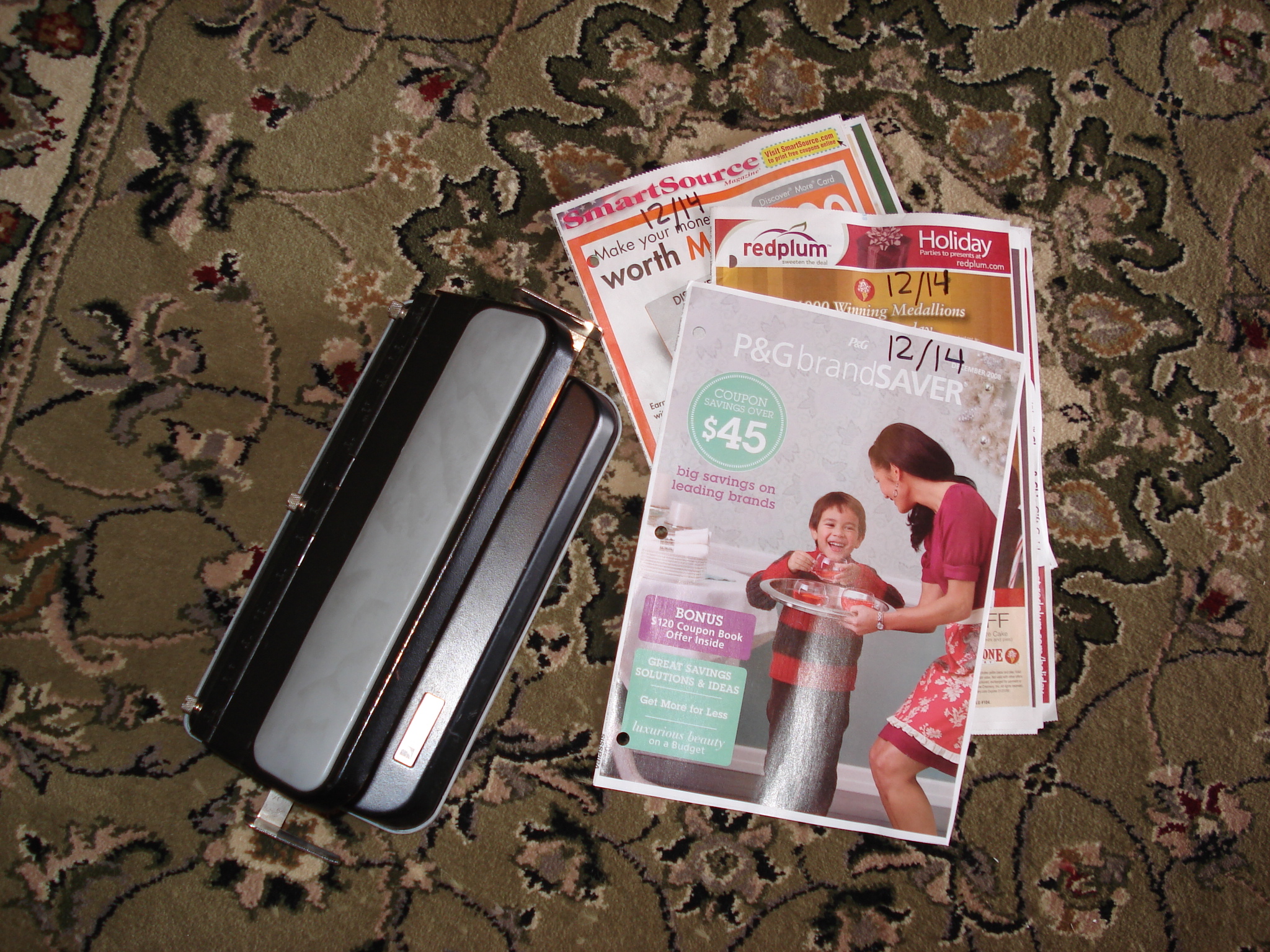
1.) Pull your inserts from the Sunday Paper and write the date on the front.
2.) Hole-punch the left margin of the coupon (In all my years, have not had problem with this messing up barcodes to scan.)
3.) Place your inserts in a large binder with oldest in the back and newest in the front (arranged by date.)

Pros:
1.) This makes finding a certain date’s coupon VERY easy to locate.
2.) All your inserts are in one place.
3.) Doesn’t require much time to organize each week.
4.) Easy to get rid of expired coupons. Clean your binder starting in the back.
5.) You have every coupon that came out in the Sunday paper – no coupons went to waste. So even if there is a coupon for a product you don’t buy, you might find the product cheap/free and you can donate the item.

Cons:
1.) Bulky
2.) When searching for a particular coupon (toothpaste), it is not easy to locate. I could be anywhere in your binder.
3.) There is a lot of “extra” advertisement paper (coupons only take up so much room on each insert.)
4.) Doesn’t leave room for loose coupons – another method is necessary to attach to this style of organizing.

Examples:
• See My Example HERE.

Method Two: Organize Coupons by Type
This method is the most common for couponers. Most coupon “pros” (if we can call them that) arrange their coupons this way.

How to Start:
1.) Pull your inserts from the Sunday paper and cut. (Note: If you have multiple copies of the same type, lay individual, like pages on top of each other and cut coupons from multiple inserts at the same time.
2.) Once your coupons are cut, organize them by type. You can arrange by type using photo sheets or baseball card inserts.
3.) Place photo/baseball card inserts into a large binder. You can add as well a zipper pouch for scissors, pens, paperclips, etc.

Pros:
1.) Organization at its best. If done right, this system is very orderly and neat.
2.) Easy to navigate for type of coupon. When you are in the store you can easily go to your health section for a toothpaste coupon.
3.) Easier to see when a coupon is about to expired.
4.) All your coupons are in one place.
5.) All the “extra” paper in the Sunday inserts are recycled or throw away. You do not have an abundance of extra weight due to unneeded paper.

Cons:
1.) Time – you do need to find time to cut and organize coupons each week.
2.) Bulky.
3.) Hard to find a coupon by date. If you need to go to the 1/3 SS insert, you don’t know which coupon came from where.
4.) You must search page by page for expired coupons when cleaning out your binder.
5.) When cutting coupons, you are most likely throwing away coupons you don’t use/need. If there is a sale where that coupon makes something free or cheap, you don’t have that coupon to donate that product to others.

Examples:
• See Kerri ‘s binder example HERE – She actually sells them as well so you don’t have to make your own.
• See Sarah’s binder example HERE
• See Shannon photo album example HERE
• Coupon Magic Organizer also has a place where you can buy a premade binder HERE.

Method Three: The File System
I have seen this method before, but I was unable to locate a picture or example during my research. It is pretty self explanatory, however.

How to Start:
1.) Acquire a file cabinet or cube crate that can hold handing file folders
2.) Take your inserts and arrange by date. Each handing folder will house a different date’s coupons.

Pros:
1.) Clean and Neat.
2.) Requries the least amount of time.
3.) This makes finding a certain date’s coupon VERY easy to locate.
4.) All your inserts are in one place.
5.) Easy to get rid of expired coupons. Clean your files starting with the oldest date
6.) You have every coupon that came out in the Sunday paper – no coupons went to waste. So even if there is a coupon for a product you don’t buy, you might find the product cheap/free and you can donate the item.

Cons:
1.) Bulky – the most bulky method.
2.) Not really portable. You will not walk into the store with this method in your hand/cart.
3.) When searching for a particular coupon (toothpaste), it is not easy to locate. I could be anywhere in your file system.
4.) There is a lot of “extra” advertisement paper (coupons only take up so much room on each insert.)
5.) Doesn’t leave room for loose coupons – another method is necessary to attach to this style of organizing.

Examples:
• Please share if you have/see an example to where I can link.

Additional Methods
When couponing, you will most likely want to mix in other organizational methods. Of the above methods, method 1 and 3 don’t allow you to do it all in one place. You might be able to do it all with method 2.

Accordion File
For loose coupons, it is nice to have an accordion file. You can arrange this by type of coupon. You organization can be as specific ad dairy or as broad as grocery. Other tabs include health and beauty, baby, cleaning, household goods, etc. The accordion file is VERY easy to carry in the store. It can be as small as an envelope size or as large as a piece of paper (in width and height comparison- not depth.) This is a great place to organize peelies, catalinas, blinkies (store dispenser coupons), etc.

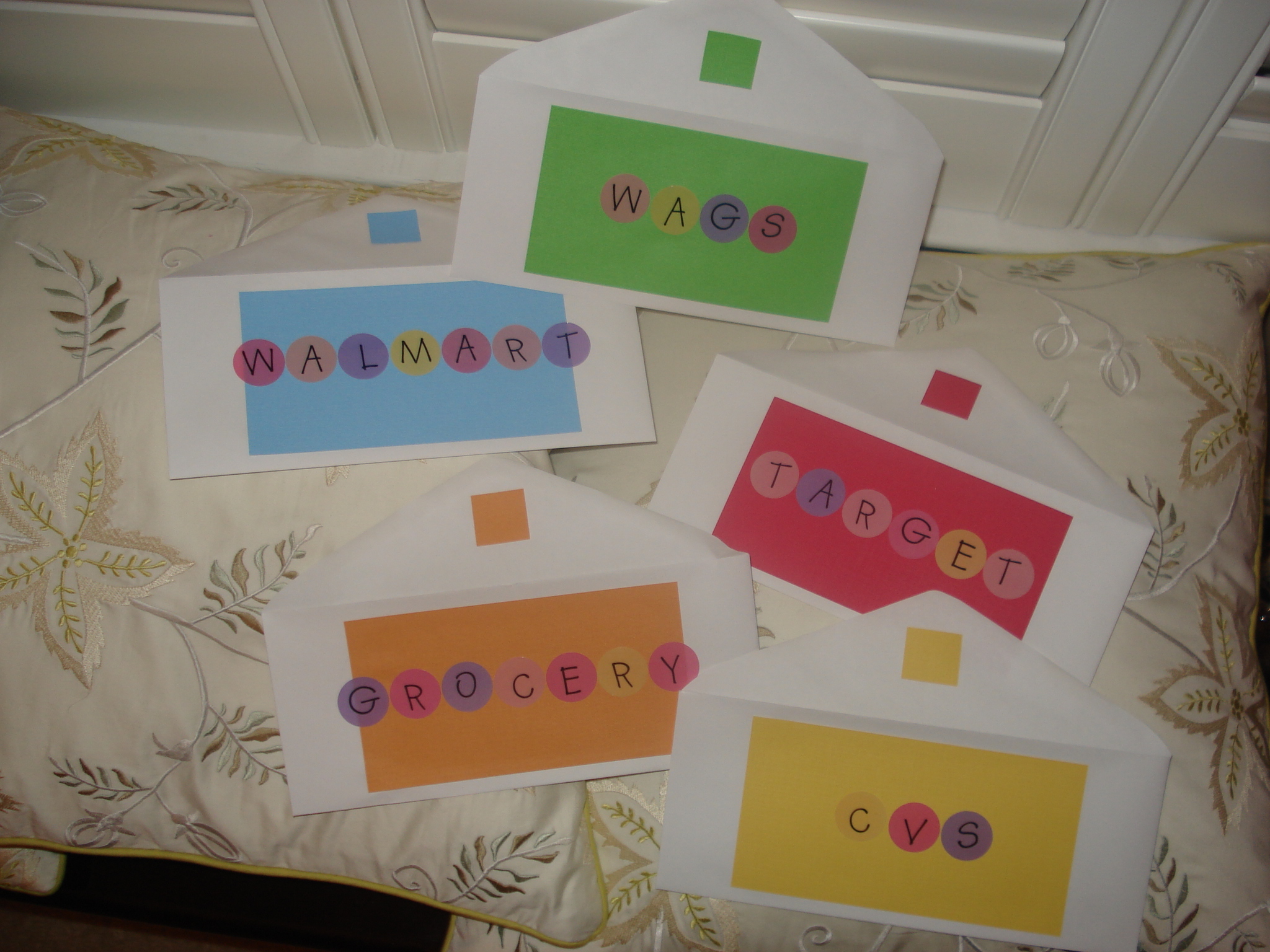
Envelopes
When shopping in a store, I plan my lists ahead of time. Like I have shared before, I do not walk in with my large coupon binder. Instead I carry in envelopes (and usually my accordion file mentioned above.) My envelopes are arranged by store name. For example, when I organize my CVS list I carry instead my envelopes coupons I need for THIS trip, Extra Care Bucks, My CVS Card, and rain checks. At the end of my CVS shopping, the envelope will be 95% empty from what I came in the store with.

Smaller Binder
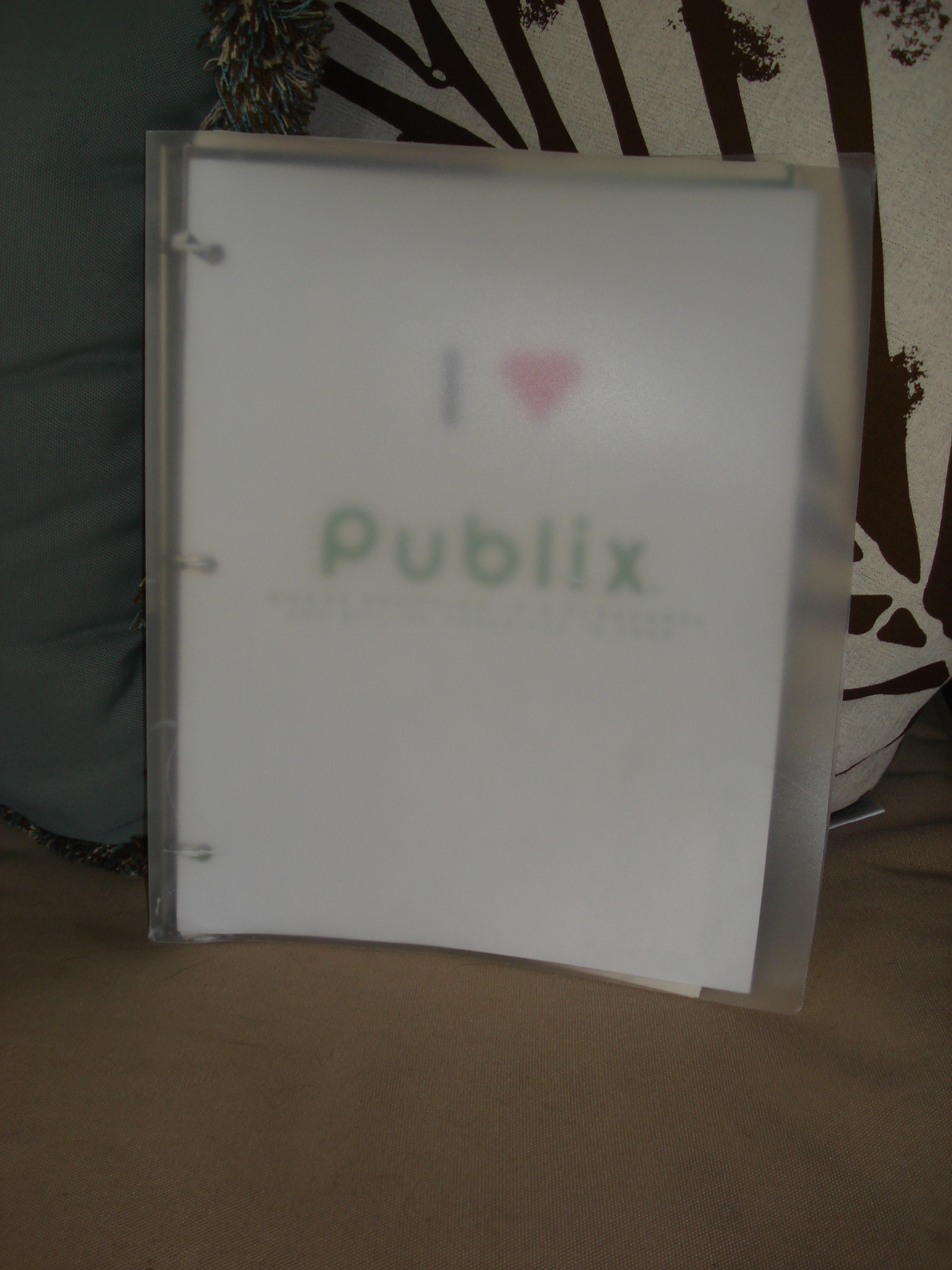
My particular grocery store, Publix, often has a lot of additional coupon flyers/booklets. When I have extra booklets, I hole-punch the booklets and arrange them in a smaller binder. This I call my store coupon binder. If you desired, you could add some photo/baseball card inserts and place additional store coupons inside this binder as well. These would be coupons earned through rewards cards, food/baby clubs, etc. They usually are mailed, printed, or acquired in the store.

Photos above used with permission from: Save at Home Mommy, The Bargain Jargon, and Frugal Coupon Living.

Print

{ 19 comments }


Where is that Coupon?

by Frugal Coupon Living on January 2, 2010

A few times a week I get an email asking me why a coupon I listed for an item is not in their Sunday (SmartSource, RedPlum) insert. The reason why this happens is coupons are REGIONAL. Larger cities get bigger, better, and more coupons while rural areas hardly get any. Some cities even were affected by the RedPlum pull and don’t get any of those inserts.
I live in a city that has a nice amount of coupons but I am regularly missing a coupon. I am here to prove that you CAN do it even with these missing coupons. The coupons will come eventually. If you are in need of a coupon and cannot wait longer, always remember you can order the coupons you that you don’t get in your Sunday inserts at The Coupon Clippers by clicking the icon below.

The Coupon Clippers

Print

{ 1 comment }


Couponing Acronyms and Explanations

by Frugal Coupon Living on December 31, 2009

All of the acronyms I use for couponing are found on the center/right column of Frugal Coupon Living. Below, I have provided a more detailed explanation.
SSSmart Source. SS is a coupon resource both online and in the Sunday paper.  The larger the city, the larger the SS Sunday insert (and the smaller the town, the smaller the insert size.) Thus, Smart Source coupons can vary by regions.  Almost every Sunday, there is a SS insert in the newspaper. Visit Smart Source for printable coupons that change/vary each month.

RP – Red Plum. Much like SS, RP is a coupon resource both online and in the Sunday paper.  The larger the city, the larger the RP Sunday insert (and the smaller the town, the smaller the insert size.) Thus, RP coupons can vary by regions.  Almost every Sunday, there is a RP insert in the newspaper. Visit Red Plum for printable coupons that change/vary each month.

P&G – Procter and Gamble.  Much likes the other inserts, P&G coupon resource is found in the Sunday paper.  P&G inserts tend to be consistent across the board. In other words the same coupons tend to be in every city/town.  Unlike the others, they come out once to twice a month.  Usually around the front end of the month. P&G e-coupons HERE.

MFR – Manufacturer Coupon. A manufacturer coupon is put out by the company of the item represented. It can be combined with a store coupon in most locations (grocery stores/pharmacies.)  Most MFR coupons have the most expensive item displayed as a picture on the coupon so it is important to read the fine print. Sometimes you can use a MFR coupon on a trial size item. When this is possible, it is best to do this because the savings is a much larger percent then if you were to buy they full size item. Ten bottle of trial size shampoo work just as well as one large bottle (and can end up being FREE!)

SC – Store Coupon. This is a coupon that can exclusively be used in the store in presents. For example if CVS puts out a coupon for Colgate, this can only be used in a CVS location.  This SC can be combined with an MFR to produce a greater savings.

CC – Competitor Coupon. A CC is a store coupon that can be used in another store. For example, I could take a Winn-Dixie coupon and use it at Publix. You can also create a combination of mixing and matching MFRs, SCs, and CCs for an even larger savings! Two places that regularly take competitor coupons are Publix and Home Depot.

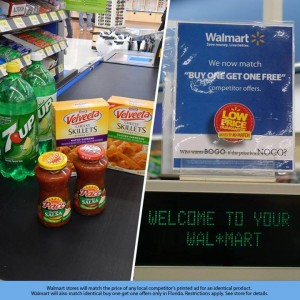
B1G1/BOGO – Buy One, Get One. The name basically supplies the definition. When you buy one product, you get the next product for free. In some locations, B1G1 sales reduced items to 50% off so you can only buy one item in the B1G1 sale. I will make a note of this when this is the case. In most locations, for B1G1 sales, two products need to be in the purchase. I personally appreciate B1G1 sales because you can use two coupons. You are getting two products!

WYB – When You Buy. An example of when this phrase is used is get $1 off product x when you buy product y.

YMMV – Your Mileage May Vary. Your mileage may vary is a phrased to describe the situation where you have success at one store and not at another store. This is usually the case because clearance items, sales, or managers discretions may change per store. YMMV can be the case for two stores in the same city or for two stores on different sides of the country.

MIR – Mail in Rebate. A mail in rebate is a situation where you get back a percentage of the amount you spent on a product. A MIR usually requires a UPC (universal product code – CHECK ON ACTUAL ACRONYM – bar code on the side of a box) , original cash register receipt, a form all mailed in a self stamped envelope.  During a MIR, you do need to pay for the product upfront but are refunded your money either in the form of a check or gift card.  Sometimes, MIRs provide you with a product instead of the refund of a check/gift card. In this case, you would know this before sending in the MIR. On average, MIRs take around 8 weeks for a full refund.

FAR – FREE After Rebate. This case is usually accompanied with a MIR. The item would be FREE after you submit a rebate for a refund of a check/gift card.

$1 SS 1/4 – $1 coupon in the Smart Source Inserts on January 4th. I use this phrase when matching coupons to sales. If we were talking about Dove Deodorant, I would be directing you to cut the $1 Dove Coupon in the Smart Source Insert that came out January 4th. If you keep your inserts intact, with the date on the front, this is easy to locate. You can keep them in a binder, in a file system, or cut them up and arrange the coupons by month or by type (health and beauty in this case.)

OOP – Out of Pocket. This is the money you are required to pay out of pocket. This money is usually amount you will pay before a rebate or “reward money” found in the form of Extra Care Bucks or Register Rewards (See CVS 101 and Walgreens 101 below.)

WFC – Weekly Flyer Coupon. This is a coupon found in a store weekly sales flyer. This coupon is required for the discount on the item. It is not a “clip free” coupon.

$1.50/2 – $1.50 off two items. In this example you get $1.50 of the price of two items. If I do not provide a back slash and number, then the discount is off one item. I provide the discount price followed by a slash and number to share with you when you have to buy more than one item for the coupon reduction.

ECBs – Extra Care Bucks. This is a money system found at CVS stores. It is like paper money that can be used on products in their store only. ECB sales are found weekly in their store flyer. Sometimes, CVS has items that are FREE after ECBS (much like the FAR system.) See more on shopping at CVS with ECBs below.

WagsWalgreens. Acronym used for Walgreens.

RRs – Register Rewards. This is a money system found at Walgreens (Wags) stores. It is like paper money that can be used on products in their store only. RRs sales are found weekly in their store flyer. Sometimes, Wags has items that are FREE after RRs (much like the FAR system.) See more on shopping at Walgreens with RRs below.

Related Posts:

Eight Tips to Couponing HERE

CVS 101 HERE

Walgreens 101 HERE

Print

{ 48 comments }